Remove glasses from a photo
Take the eyeglasses out of a portrait, including the reflections and the shadow, and rebuild the eyes underneath.


Try it
No photo chosen yet.
Drop a photo here
or
JPG, PNG, or WebP, up to 25 MB and 20 megapixels.
Free to try without an account. Signed in, a run costs 15 credits.
How it works
- Add a photo: drag it onto the uploader or pick one from your device.
- An editing model removes the frames and reconstructs the eyes and skin they were covering.
- Look at the result, then download it or run another photo through.
These models reconstruct rather than recover: they produce a plausible version of what was probably there, so results vary with the source photo. Run it again or try a different image if the first pass misses.
What to expect
The frames are the easy part. What makes this hard is everything the glasses did to the photo: the reflection across one lens, the shadow the frame cast on a cheek, the way a strong prescription magnified or shrank the eye behind it. All of that has to go, and the eyes underneath have to be rebuilt from what the rest of the face implies. That last point is worth being honest about. If a lens hid most of an eye, the eye that comes back is a plausible reconstruction rather than a recovery, and it may differ from your own in shape or in the exact set of the lid. Thin frames and clear lenses give the best results; heavy frames, strong reflections, and tinted lenses give the model the least to go on.
Best results: A front facing portrait with the eyes visible through the lenses and no strong reflection across them.
Common questions
- Are the eyes it draws really mine?
- They are a reconstruction, not a recovery. Where the lens was clear and the eye was visible, the result is close. Where a reflection or a heavy frame hid the eye, the model is inferring it from the rest of your face, and it can get the shape or the eyelid wrong.
- Does it remove the reflections and the shadow too?
- Yes, and that is most of the work. A photo with the frames taken out but the shadow left on the cheek looks wrong in a way people notice without being able to say why.
- Will it work on sunglasses?
- It will try, and the result is a guess. A dark lens hides the eye completely, so there is nothing to reconstruct from except the shape of the face around it.
- Can I use it for a passport or ID photo?
- Please do not. Most countries want a photo that shows you as you are, and several require glasses off at the time the photo is taken rather than removed afterwards. An edited photo can invalidate an application.
- What if the frames are very thick?
- Thick frames cover more of the face, so more is being invented. Expect a usable picture rather than an exact one, and check the eyebrows, which are what heavy frames most often cut across.
- Does it change anything else?
- It should not, and the instruction names your eye colour specifically, because that is the thing this model gets wrong: asked to rebuild an eye, it tends to hand back a dark iris lighter than it was. It is told to keep the iris already in the photo and to leave everything outside the glasses alone. Eyes are small on a screen, so zoom in on the result before you use it.
Be photographed, any way you like
Save your photographs once, then every look becomes a photograph of you.










Related tools
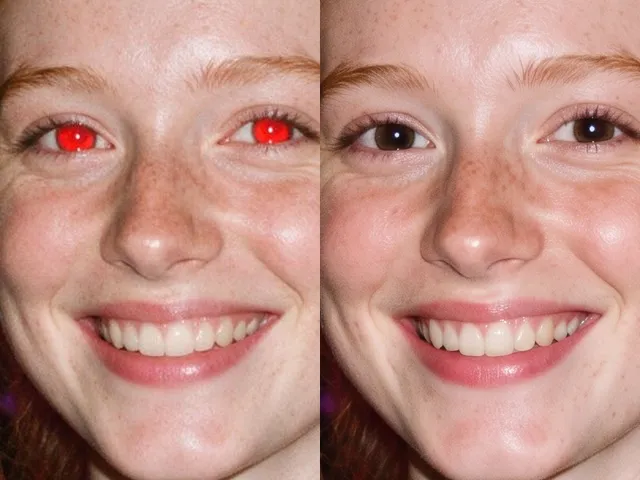 BeforeAfterRed Eye RemoverFix the red flash reflection in the eyes and leave the rest of the photo exactly as it was.
 BeforeAfterOpen Eyes in PhotoFix the one shot where somebody blinked, without retaking it or living with it.
 BeforeAfterSmile FilterTurn a stiff expression into a relaxed, natural smile, without touching anything else in the photo.
 BeforeAfterAI HeadshotPut a decent photo of yourself in business clothes against a clean studio backdrop, without booking a photographer.