Restore an old or damaged photo
Repair, sharpen, and color the photos that time, damage, or a bad scan got to first.
These tools work on a photo you already have and want back in better shape: a creased print from an album, a scan that came out soft, a portrait nobody living remembers in color. Each one rebuilds detail rather than uncovering it, so what comes back is a plausible version of the original, not a hidden layer of it. If a photo needs more than one of them, repair the damage first, then color it, then enlarge it.
3 tools
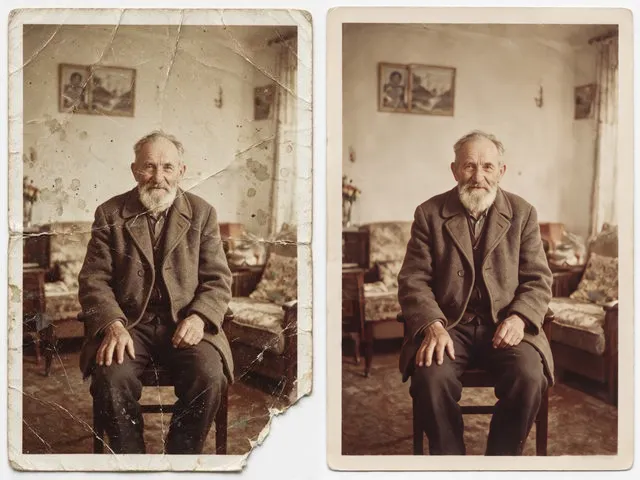 BeforeAfterOld Photo RestorationRepair the scratches, tears, creases, and fading in a scanned print, keeping the people exactly as they are.
 BeforeAfterPhoto ColorizerAdd natural, period plausible color to a monochrome photo, with skin tones kept believable.
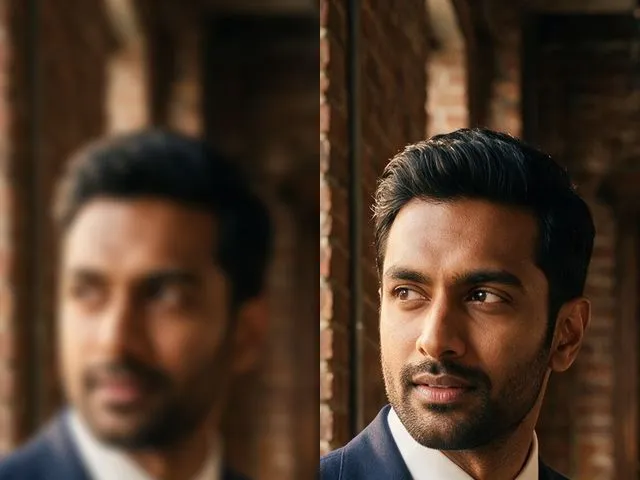 BeforeAfterUnblur ImagePull detail back out of a soft or slightly out of focus shot, with faces handled more carefully than the rest.