See a face with a shaved head
Preview a shaved head version of a photo, keeping the same face, skin tone, and lighting.


Try it
No photo chosen yet.
Drop a photo here
or
JPG, PNG, or WebP, up to 25 MB and 20 megapixels.
Free to try without an account. Signed in, a run costs 4 credits.
Sign up free for High qualityHow it works
- Add a photo: drag it onto the uploader or pick one from your device.
- An editing model removes the hair and reconstructs the scalp and hairline underneath it.
- Look at the result, then download it or run another photo through.
These models reconstruct rather than recover: they produce a plausible version of what was probably there, so results vary with the source photo. Run it again or try a different image if the first pass misses.
What to expect
Same editing model as the beard filter, different instruction: the hair comes off and the scalp, hairline, and skull shape underneath are reconstructed. The model infers head shape from the outline it can see, so hair that sits close to the head produces a far better result than big volume, a hat, or a bun hiding where the skull actually ends. Scalp tone is matched to the face, which usually works and can look a little too even under strong side light. Take it as a novelty preview: nobody's scalp is in the original file, so a scar, a mole, or the hairline shape you would recognize is not going to appear. Beards, glasses, and earrings are left where they are.
Best results: A front facing portrait with the whole head in frame, hair reasonably close to the head, and no hat.
Common questions
- Does it work on long or voluminous hair?
- It runs, but the further the hair sits from the skull, the more of the head shape is invented. Short or close cropped hair gives the most believable result by a wide margin.
- Will it keep my beard and glasses?
- Yes. The instruction is limited to the hair on the head, so beards, glasses, and jewelry stay as they are.
- Can it show a receding hairline instead of fully shaved?
- No. It is a single instruction for a shaved head, with no stages in between and no slider for how far to take it.
- Does a profile or a photo taken from behind work?
- A profile can work when the face and hairline are visible. From behind there is no face to anchor the result to, so what comes back is a guess you have no way to check.
- What happens to the photo afterwards?
- Both the upload and the result sit on a delete timer: 7 days for an anonymous run, 30 days when you are signed in. There is nothing to clean up by hand.
Be photographed, any way you like
Save your photographs once, then every look becomes a photograph of you.










Related tools
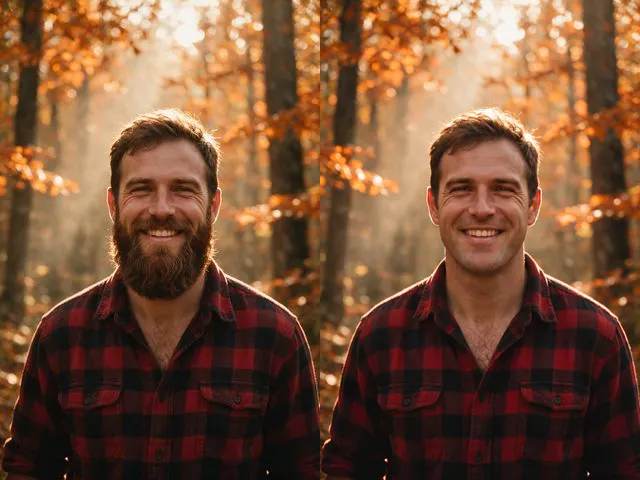 BeforeAfterNo Beard FilterPreview a clean shaven version of a photo, keeping the same face, the same expression, and the same lighting.
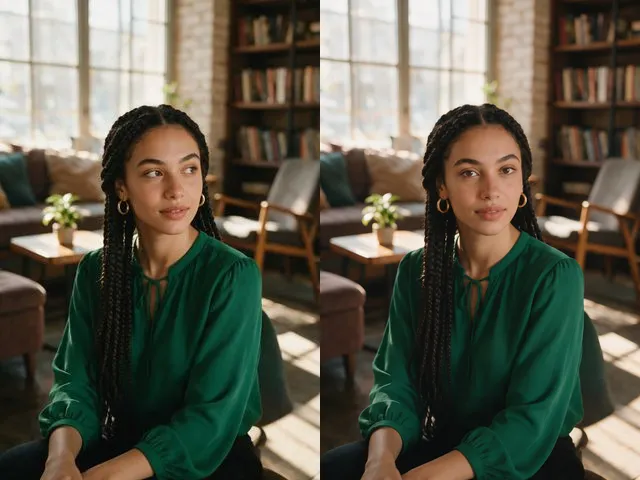 BeforeAfterEye Contact CorrectionNudge the eyes to look into the camera, without moving the head or changing their color.
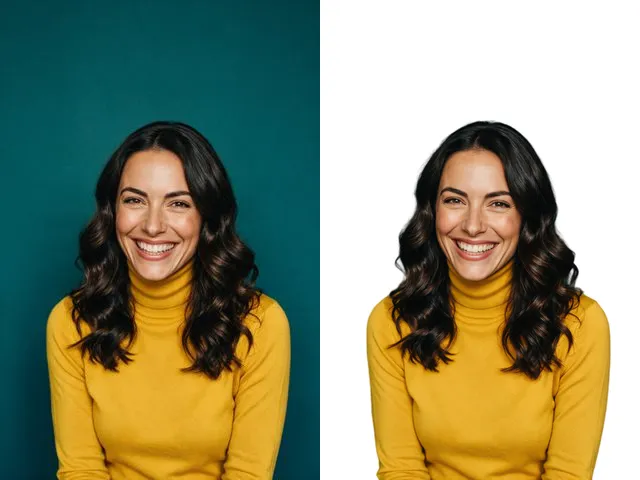 BeforeAfterFace Cut OutIsolate a head and shoulders portrait from its background, with the hair and jaw edges kept clean.
 BeforeAfterImage EnhancerSharpen detail, clean up noise, and even out a flat looking photo, without changing what is in the frame.